
Efficient Website Design Tips for Programmers
Welcome to our cheerful and informative blog post on "Efficient Website Design Tips for Programmers"! In today’s digital age, having an efficient website is crucial for programmers to showcase their skills, attract clients, and create a strong online presence. But designing a website that is not only visually appealing but also optimized for performance can be quite a challenge. Fret not, because we are here to guide you through the process and provide you with valuable tips and tricks to make your website shine. So, let’s dive right in and explore the world of efficient website design!
Table of Contents
- Importance of Efficient Website Design
- Planning Your Website Design
- User Experience (UX) Considerations
- Responsive Design for Mobile Devices
- Optimizing Website Speed
- SEO-Friendly Design Techniques
- Content Organization and Navigation
- Testing and Continuous Improvement
1. Importance of Efficient Website Design
In today’s fast-paced digital world, where attention spans are shorter than ever, having an efficient website design is paramount. A poorly designed website can lead to users leaving your site within seconds, resulting in lost opportunities and potential clients. On the other hand, an efficiently designed website can captivate your audience, enhance their experience, and keep them engaged for longer periods.
To ensure an efficient website design, it is essential to focus on various aspects such as user experience, mobile responsiveness, website speed, search engine optimization (SEO), content organization, and navigation. By considering these factors and implementing the right strategies, you can create a website that not only looks great but also functions seamlessly.
2. Planning Your Website Design
Before diving into the design phase, it’s crucial to spend time planning and strategizing your website’s layout and structure. Here are some key steps to follow during the planning stage:
Define Your Goals and Target Audience:
Clearly define the goals of your website and identify your target audience. Understanding your audience’s needs and preferences will help you tailor your design and content accordingly.
Create a Sitemap:
Develop a sitemap that outlines the structure and hierarchy of your website. A visual representation of your website’s pages and their relationships will make it easier to organize and navigate through your content.
Wireframing and Prototyping:
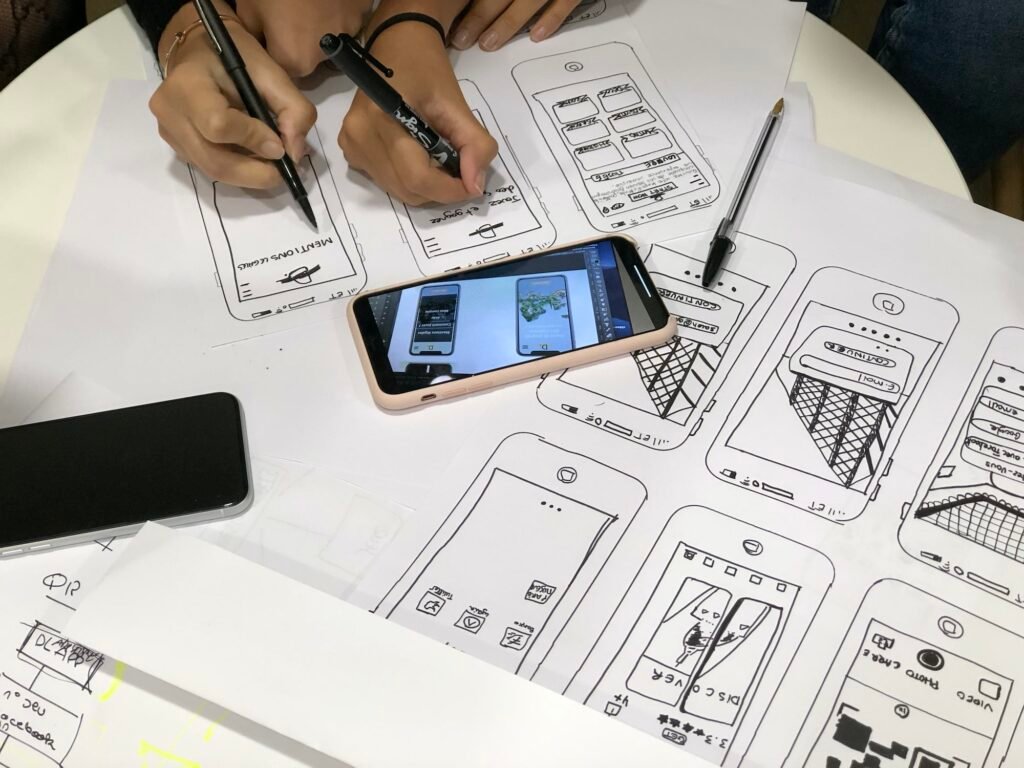
Utilize wireframing tools or sketch out your website’s layout on paper to visualize the placement of key elements such as headers, navigation menus, content sections, and call-to-action buttons. This step helps you experiment with different designs before committing to a final layout.
Choose an Intuitive Navigation System:
Ensure your website’s navigation is user-friendly, logical, and easy to understand. Stick to standard navigation conventions and avoid overwhelming users with too many options. Keep it simple, straightforward, and consistent across all pages.
3. User Experience (UX) Considerations
User experience (UX) plays a pivotal role in determining the success of your website. A positive UX ensures that users enjoy their journey on your website, find what they’re looking for, and ultimately take the desired action. Here are some UX considerations to keep in mind during the design process:
Consistent Branding and Visual Identity:
Maintain consistent branding elements such as color schemes, fonts, and logos throughout your website. This creates a cohesive experience and reinforces your brand’s identity.
Clear and Concise Messaging:
Craft clear and concise messaging that conveys your value proposition and key information. Avoid using technical jargon and keep your content accessible and easy to understand for users with varying levels of expertise.
Utilize Whitespace:
Whitespace, also known as negative space, refers to the empty areas between design elements. Incorporating whitespace in your design improves readability, helps draw attention to important content, and creates a sense of elegance and simplicity.
Calls-to-Action (CTAs):
Strategically place CTAs throughout your website to guide users towards the desired actions, such as signing up for a newsletter, downloading a resource, or making a purchase. Use contrasting colors, concise text, and compelling design to make your CTAs stand out.
Feedback and Error Handling:
Implement feedback mechanisms to provide users with clear indications of their actions, such as successful form submissions or error messages when something goes wrong. Friendly and informative error messages help users understand and rectify mistakes.
Conclusion:
Efficient website design is a vital aspect of a programmer’s online presence. By following the tips and suggestions provided in this blog post, you can create a website that not only impresses visitors with its aesthetic appeal but also delivers an exceptional user experience. Remember, planning, considering user experience, optimizing for mobile, improving website speed, implementing SEO-friendly techniques, organizing content effectively, and continuously testing and improving are the key ingredients for an efficient website design. With these in mind, go forth and create a website that stands out from the crowd and brings you success in the digital realm!
Frequently Asked Questions (FAQ):
Q: How can I optimize my website for mobile devices?
A: To optimize your website for mobile devices, ensure that it is responsive and adapts to different screen sizes. Use a mobile-first design approach, prioritize content, minimize the use of large images, and test your website on various mobile devices to ensure optimal performance.
Q: How important is website speed for SEO?
A: Website speed is crucial for SEO as search engines prioritize fast-loading websites. To improve website speed, optimize image sizes, leverage browser caching, minify CSS and JavaScript files, and choose a reliable hosting provider.
Q: How can I enhance my website’s search engine optimization (SEO)?
A: To enhance your website’s SEO, focus on keyword research and optimization, create high-quality and relevant content, optimize meta tags and headings, improve website speed, build quality backlinks, and utilize schema markup.
Q: What tools can I use for testing and improving my website’s performance?
A: There are several tools available to test and improve your website’s performance, including Google PageSpeed Insights, GTMetrix, Pingdom, and WebPageTest. These tools provide insights on areas for improvement and suggest optimizations.
Remember, efficient website design is an ongoing process, and it’s important to regularly assess and refine your website to meet evolving user expectations and technological advancements. By staying up-to-date with design trends and incorporating user feedback, you can create a website that not only impresses your visitors but also achieves your desired goals. So, happy designing and may your website shine brightly in the digital landscape!
