
Essential Tools for Freelance Web Design: Software Recommendations
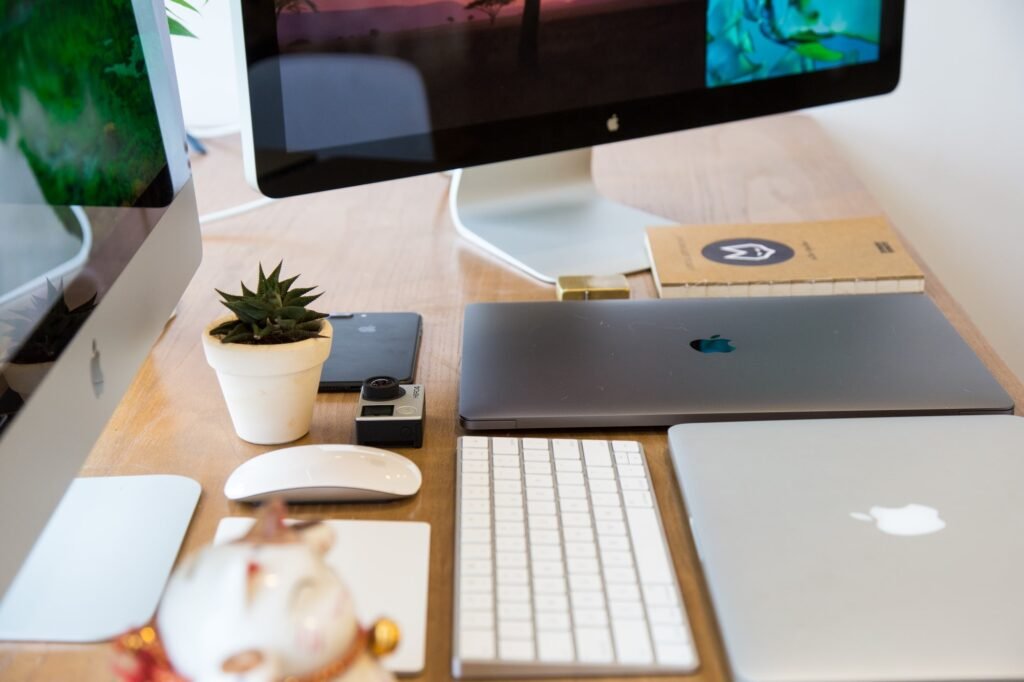
Hey there fellow freelancers and web design enthusiasts! If you’re a freelance web designer like me, then you know the importance of having the right tools in your arsenal to create stunning websites for your clients. In today’s blog post, I’ll be sharing with you some essential software recommendations that will help streamline your workflow, boost your productivity, and deliver exceptional results. From design and development to project management and collaboration, I’ve got you covered. So, let’s dive right in and explore the world of must-have tools for freelance web design!
Design Tools: Unleash Your Creativity
As a web designer, having the right design tools is crucial to bring your creative ideas to life. Here are some software recommendations that will help you unleash your artistic side and create visually captivating websites:
1. Adobe Creative Cloud
No list of design tools can begin without mentioning Adobe Creative Cloud. This comprehensive suite of software includes industry-standard applications like Photoshop, Illustrator, and XD. With Photoshop, you can edit and manipulate images with precision. Illustrator is perfect for creating vector graphics and icons. And XD is a powerful tool for prototyping and designing user interfaces. Whether you’re working on logos, banners, or wireframes, Adobe Creative Cloud has got you covered.
2. Sketch
If you’re a Mac user, Sketch is a fantastic alternative to Adobe’s design tools. It offers an intuitive interface and a wide range of features specifically tailored for web and app design. With Sketch, you can create pixel-perfect designs, collaborate seamlessly with team members, and export assets effortlessly. It’s been a favorite among many web designers for its simplicity and efficiency.
3. Figma
Figma is another powerful design tool that has gained popularity in recent years. What makes Figma stand out is its collaborative features, allowing multiple designers to work on the same project simultaneously. It also offers an impressive set of design and prototyping tools, making it a great choice for freelancers who value seamless collaboration and efficiency.
4. Canva
Not everyone has advanced design skills, and that’s where Canva comes in handy. Canva is a web-based graphic design tool with a user-friendly interface that makes it easy for anyone to create stunning visuals. From social media graphics to infographics and presentations, Canva has a vast library of templates and stock photos to choose from. It’s a time-saving tool that freelancers can use when they need to create eye-catching designs quickly.
Development Tools: Bring Your Designs to Life
Design is just the first step in creating a website. To bring your designs to life and turn them into functional websites, you’ll need some development tools. Here are my top recommendations:
1. Visual Studio Code
Visual Studio Code (VS Code) is a lightweight yet powerful code editor that has become extremely popular among web developers. It offers a wide range of extensions and plugins that enhance your coding experience, making it easier to write clean, efficient code. With features like IntelliSense, debugging, and Git integration, VS Code is a must-have for any freelance web developer.
2. Sublime Text
Sublime Text is another popular code editor known for its speed and simplicity. It’s highly customizable and offers a wide range of features, such as multiple selections, split editing, and a distraction-free mode. Sublime Text’s lightweight nature makes it a great choice if you’re working on projects that require quick loading times.
3. GitHub
Version control is an essential aspect of web development, and GitHub is the go-to platform for many developers. It allows you to host and collaborate on projects, track changes, and manage your code efficiently. Whether you’re working solo or as part of a team, GitHub makes it easy to maintain a history of your code and collaborate seamlessly with others.
4. CodePen
CodePen is an online community for front-end developers to showcase their work, experiment with code, and collaborate with others. It’s a fantastic platform to test out ideas, create prototypes, and get feedback from the community. CodePen also provides a valuable learning resource, as you can explore and fork other developers’ pens to see how they achieved certain effects or functionalities.
Project Management and Collaboration Tools: Stay Organized and Efficient
Freelance web design involves juggling multiple projects, deadlines, and client communication. To stay organized and efficient, you’ll need some project management and collaboration tools. Here are my top picks:
1. Trello
Trello is a popular project management tool that uses boards, lists, and cards to help you organize and prioritize your tasks. It’s a visual and intuitive way to track your progress, collaborate with team members, and meet deadlines. Whether you’re working alone or with a team, Trello keeps you on top of your projects and ensures nothing falls through the cracks.
2. Asana
Asana is another robust project management tool that offers features like task assignments, due dates, and progress tracking. It’s designed to help teams collaborate effectively and streamline workflows. With Asana, you can create project timelines, set priorities, and communicate with clients and team members seamlessly. It’s an excellent choice for freelancers who want to stay organized and ensure smooth project delivery.
3. Slack
Communication is key in any web design project, and Slack is the ultimate tool for team collaboration and communication. It allows you to create channels for different projects, have direct messaging with clients and team members, and share files effortlessly. Slack integrates with various other tools, such as Trello and GitHub, making it a centralized hub for all your project-related discussions and updates.
4. Google Drive
When it comes to file storage and collaboration, Google Drive is a reliable and user-friendly solution. It offers cloud storage for all your files, including documents, spreadsheets, and design assets. With Google Drive, you can easily share files with clients and team members, collaborate in real-time, and access your files from anywhere. It’s a must-have tool for seamless collaboration and file management.
Conclusion
As a freelance web designer, having the right tools can make all the difference in your productivity, creativity, and overall success. From design to development, project management, and collaboration, the software recommendations I’ve shared in this blog post will help you streamline your workflow and create stunning websites for your clients. Remember, choosing the right tools is a personal decision, so make sure to explore different options and find what works best for you. With the right tools at your disposal, there’s no limit to what you can achieve as a freelance web designer. Happy designing!
FAQ
Q: Are all the recommended tools free?
A: No, not all the recommended tools are free. While some offer free versions or trial periods, others require a subscription or one-time purchase. However, investing in the right tools can significantly enhance your workflow and productivity, making it worth the cost.
Q: Can I use these tools on both Mac and Windows?
A: Yes, most of the tools mentioned in this blog post are available for both Mac and Windows operating systems. However, it’s always a good idea to check the system requirements before downloading or purchasing any software.
Q: Are there any alternatives to the recommended tools?
A: Yes, there are often alternative tools available for specific tasks. The tools mentioned in this blog post are popular choices among web designers, but it’s always worth exploring different options to find what suits your needs and preferences best.
Q: Can I use these tools for personal projects as well?
A: Absolutely! The recommended tools are not limited to freelance projects. You can use them for personal projects, side hustles, or any web design endeavor you embark on. They are versatile and cater to various design and development needs.
Q: How can I learn to use these tools effectively?
A: Each tool comes with its own learning curve, but most offer extensive documentation, tutorials, and online communities to help you get started. Additionally, you can find numerous online courses and tutorials that focus on specific tools, allowing you to enhance your skills and make the most out of the software.
Q: Are these tools suitable for beginners?
A: Yes, many of the recommended tools are beginner-friendly and offer user-friendly interfaces or extensive learning resources. However, some tools may have steeper learning curves, especially if you’re new to web design or development. It’s essential to start with the basics and gradually explore more advanced features as you become more comfortable with the tools.
Q: Can I use these tools for other types of design work, such as graphic design or UI/UX design?
A: Absolutely! While these tools are primarily recommended for web design, many of them are versatile and can be used for other design disciplines. For example, Adobe Creative Cloud applications like Photoshop and Illustrator are widely used in graphic design, and Figma and Sketch are popular choices for UI/UX design as well. So, feel free to explore and adapt these tools to suit your specific design needs.



